Choose the audience. Then the moment.
Send approved WhatsApp templates to audiences selected by label or CSV, schedule campaigns, and review delivery and replies.
Build an audience with a clear reason.
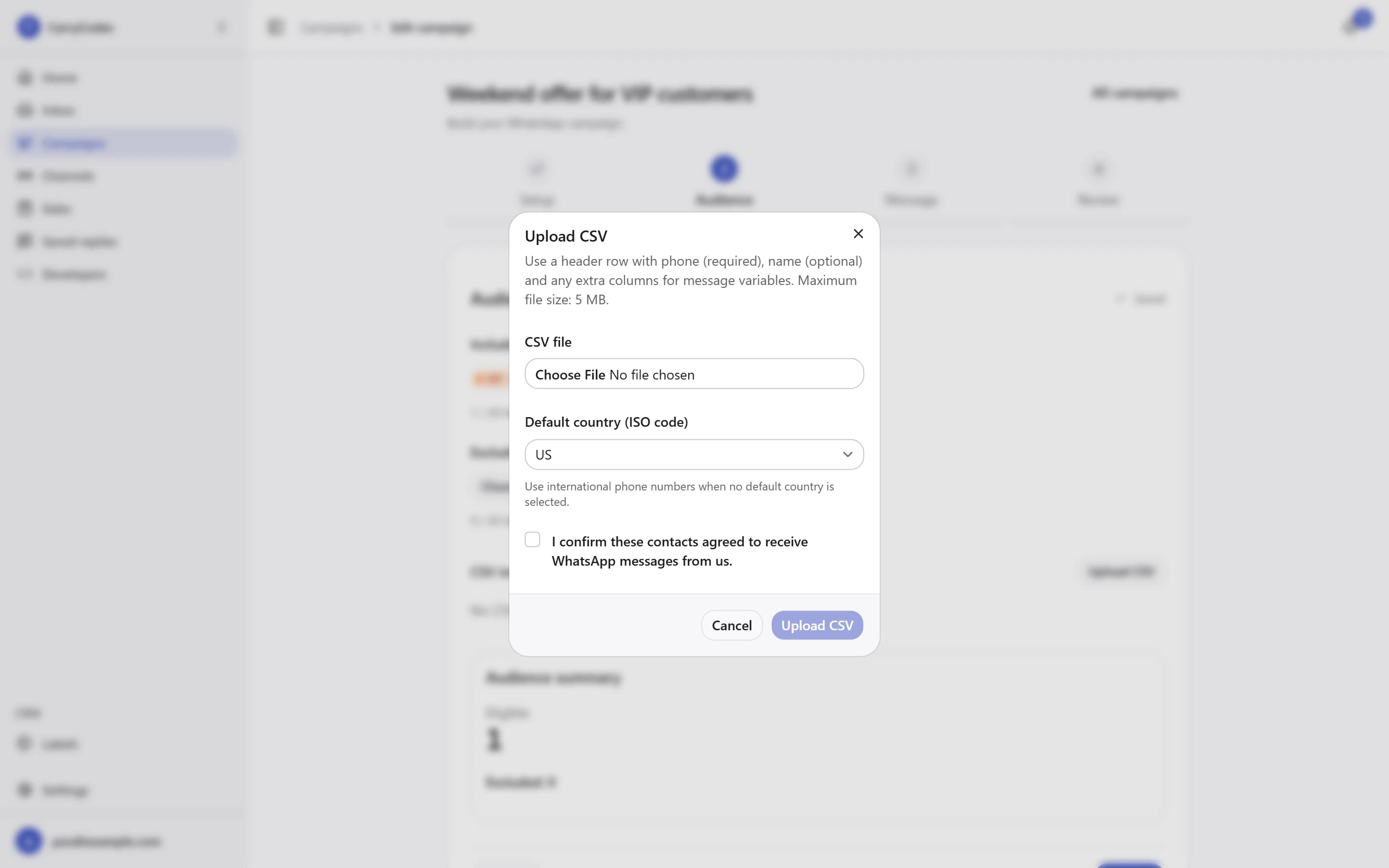
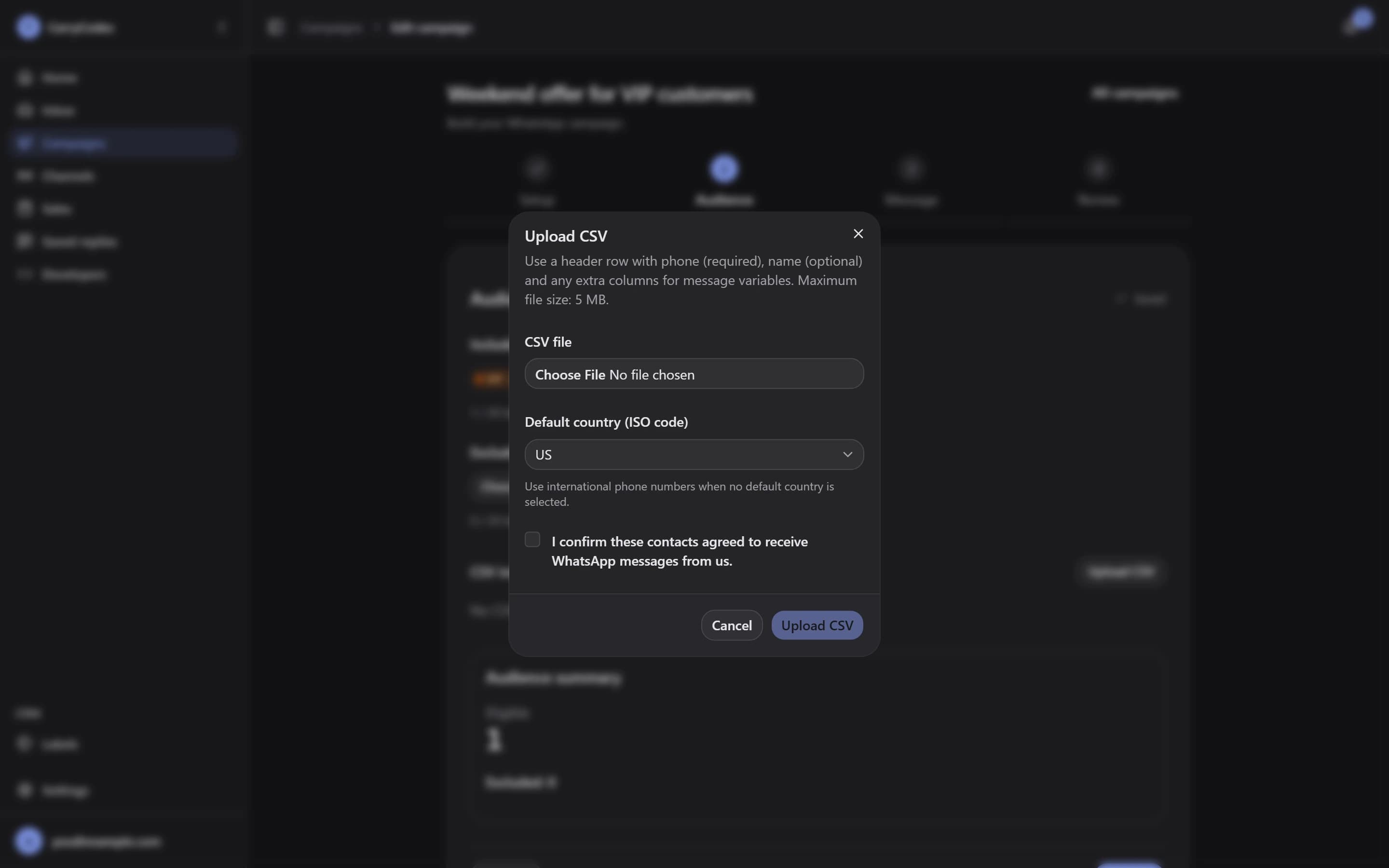
Use Include labels and Exclude labels to select contacts, or upload a CSV with the consent checkbox. Review the eligible audience after the checks before launching.
- Shared contact labels
- CSV import and eligibility checks
Prepare the message before the send.
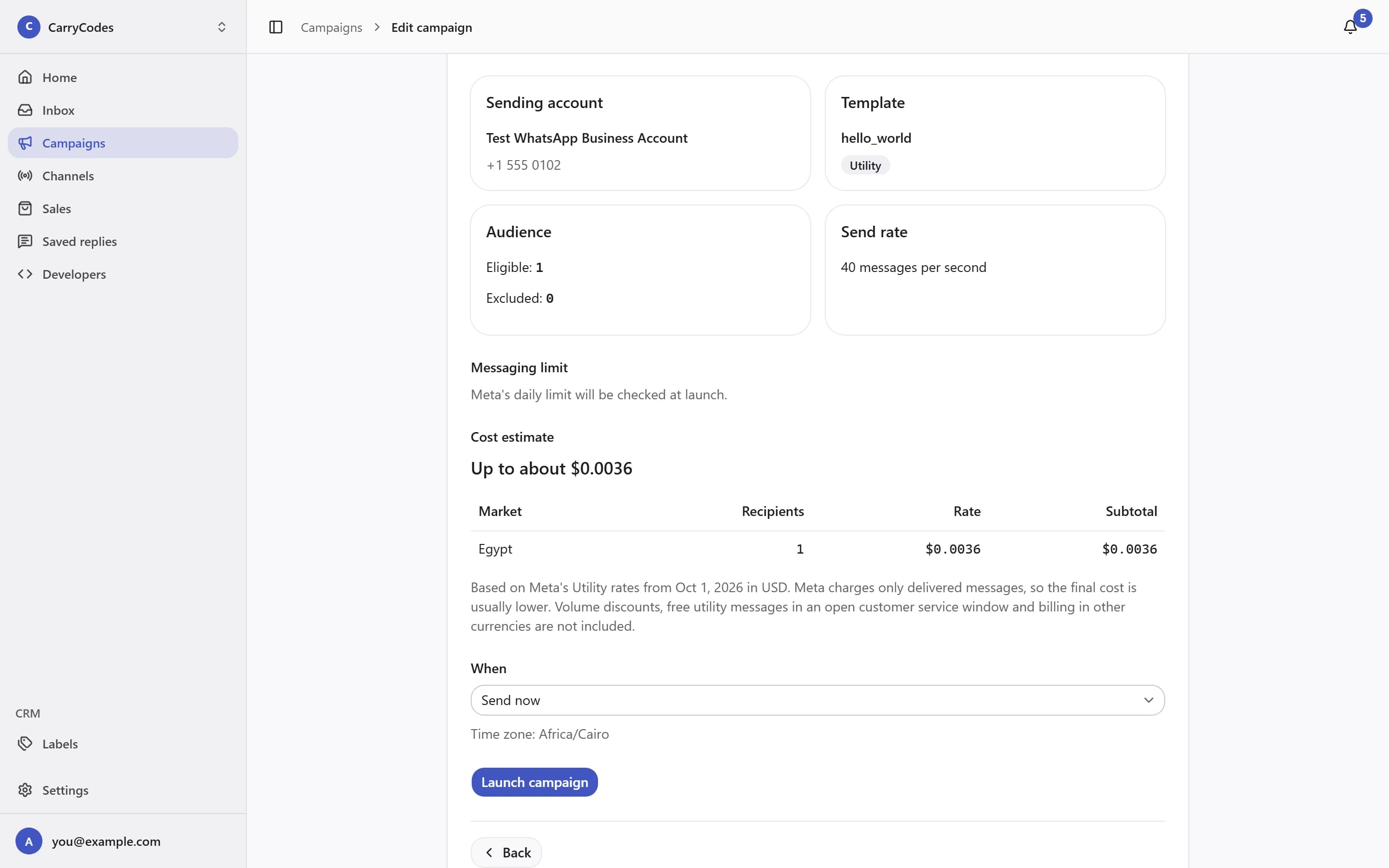
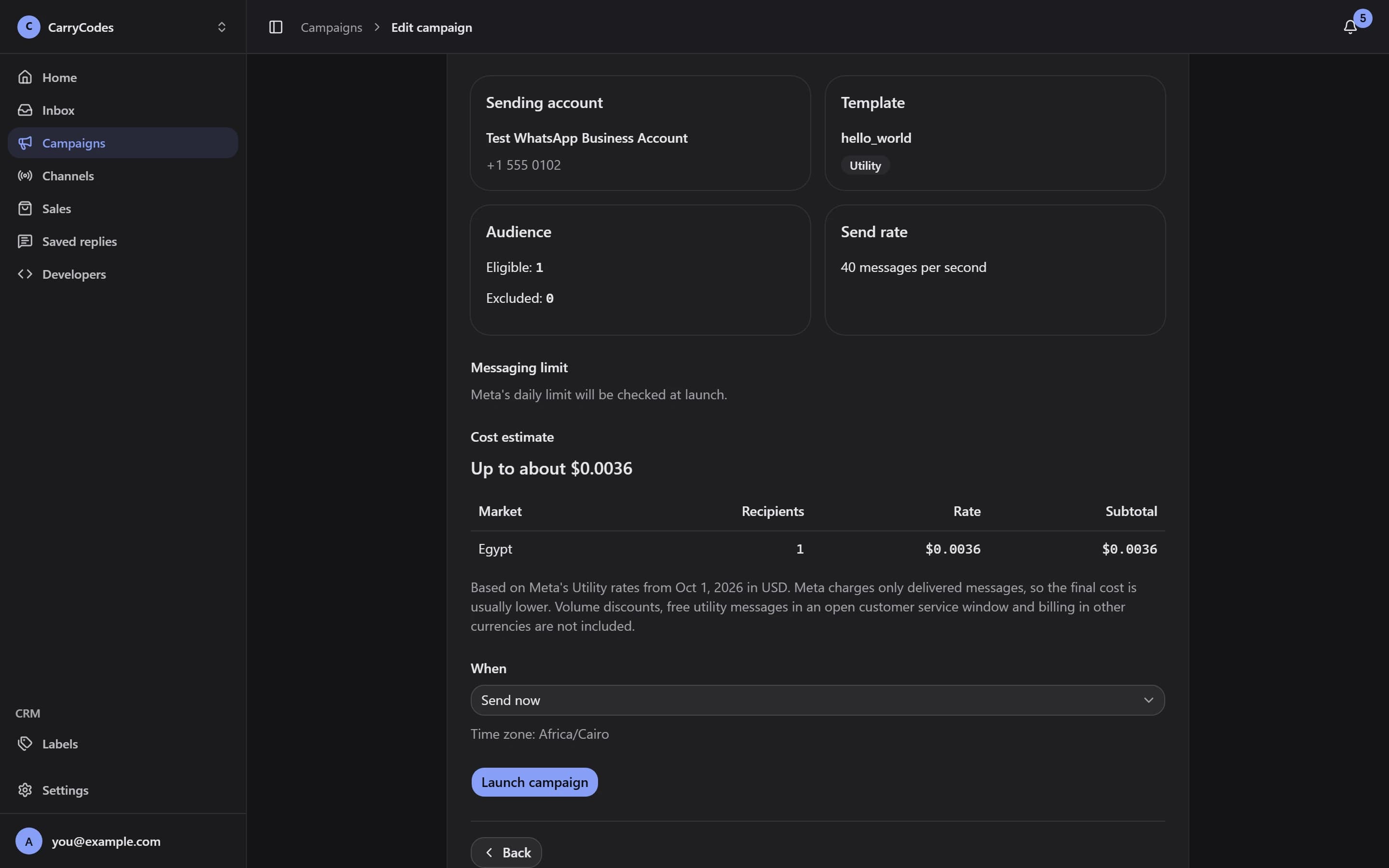
Choose an approved Marketing or Utility template. Fill variables from a contact field, CSV column, or fixed text, with a fallback. Send now or Schedule campaign; pause or resume when you need to.
- Template variables with fallbacks
- Scheduling, pause, and resume
Follow the message past launch.
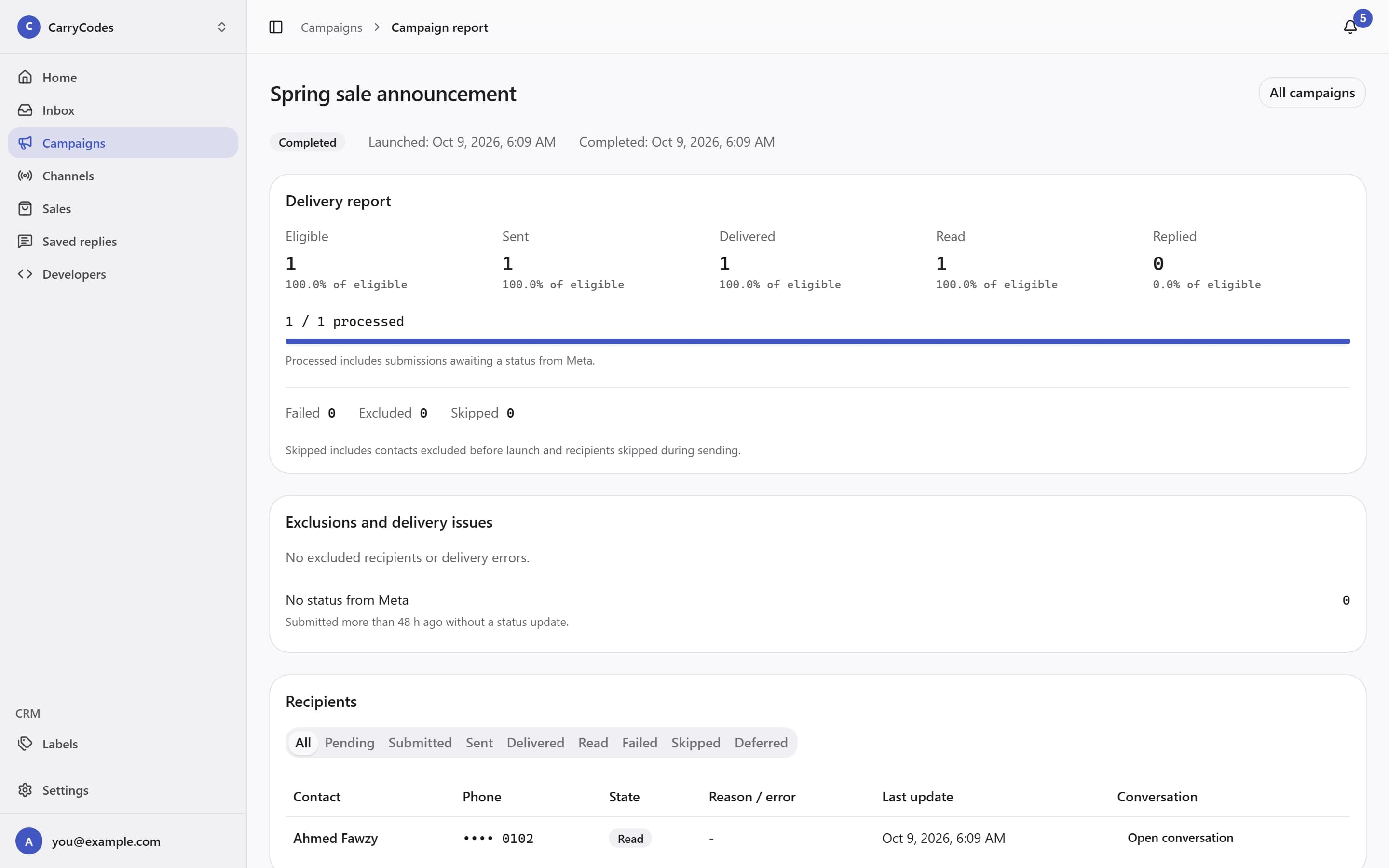
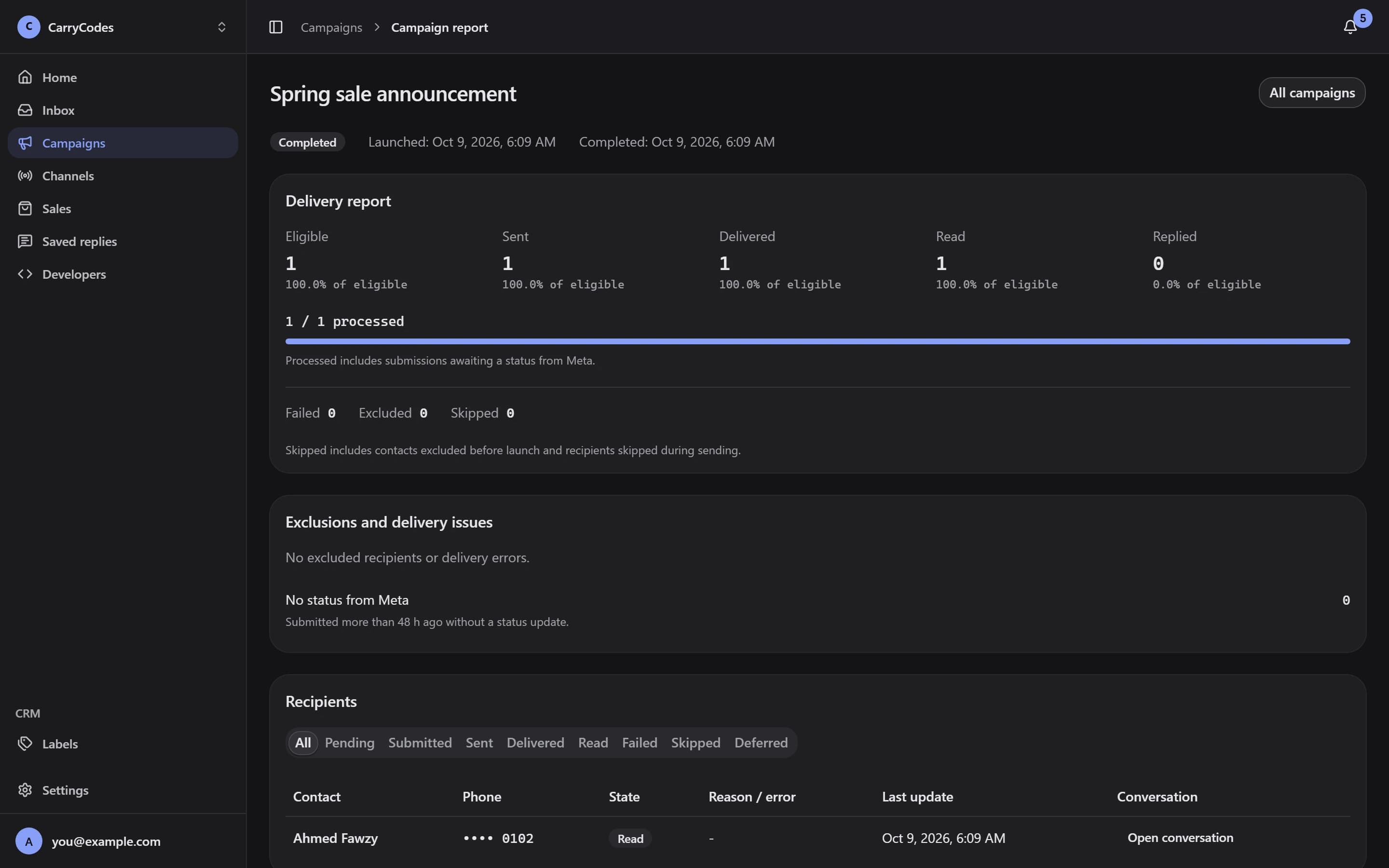
Open Delivery report to review Eligible, Sent, Delivered, Read, and Replied. Inspect exclusions, error codes, and each recipient's state when a send needs attention.
- Delivery and reply funnel
- Per-recipient outcomes and exclusions
Before you start.
- Campaigns require an approved Marketing or Utility template. CSV imports require confirmation of contact consent. Media headers are not supported in campaigns.
- Campaign allowance depends on your plan. Canceling or unscheduling a campaign does not refund consumed quota.
- Meta message fees are separate and billed by Meta. Customer replies open a 24-hour free-form reply window; a template send does not.
A place for your
next customer conversation.
Access is invite-only. Confirm your email to join the list; invitations go out in small batches.
Join the waitlist